Effect Manager & Bonuses
← Back to Home · API: Effects API
The Effect Manager applies status effects and bonuses to a token. Drive it by hand from the HUD, or from automation code. Effects can carry a duration and consumable charges. Bonuses apply to Lancer's roll flows.
The Effect Manager dialog
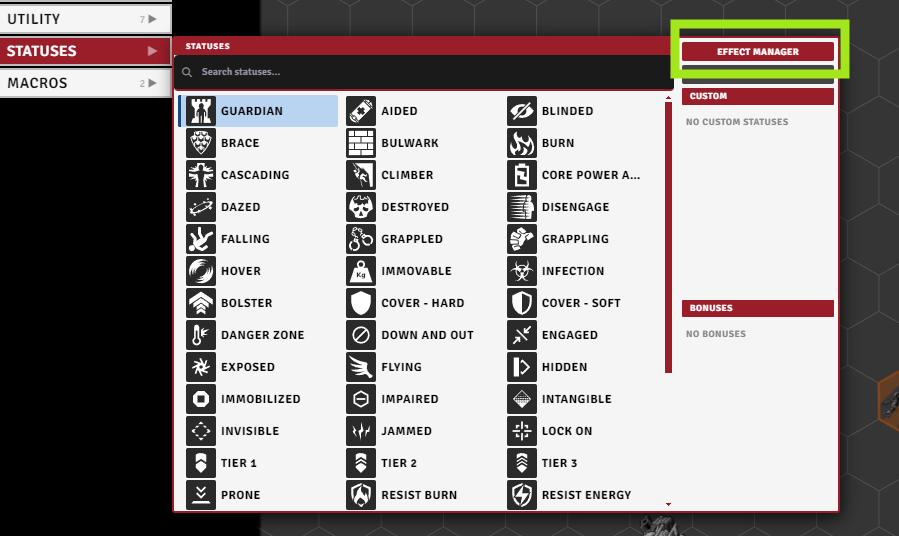
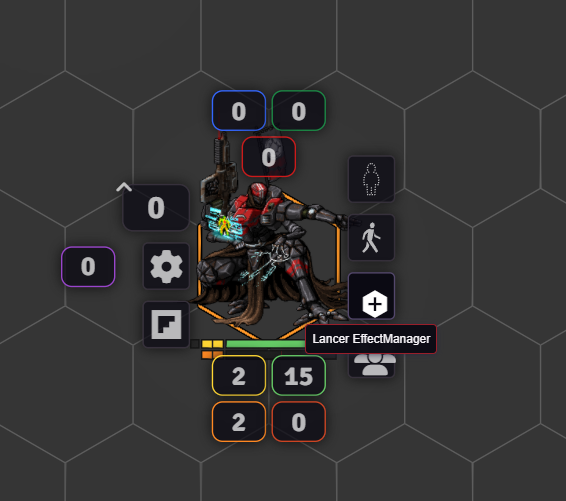
You can open it two ways: the Effect Manager button in the Token Action HUD (TAH), or a button on Foundry's own token HUD (toggled by the showBonusHudButton setting).
| From the TAH | From Foundry's token HUD |
|---|---|
 |
 |
Its tabs:
- Standard - apply built-in Lancer and Foundry status effects.
- Custom - make your own named effects (only with Temporary Custom Statuses).
- Bonus - build accuracy, damage, stat, and other bonuses.
- Manage - see and edit what's already on the token.
Standard tab
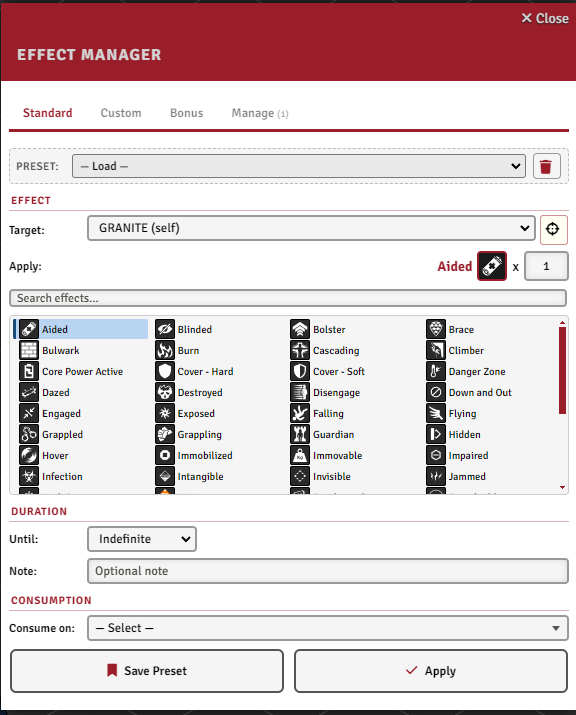
Pick a status from the searchable grid and apply it with:
- a duration - end of turn, start of turn, indefinite, or permanent (survives a Full Repair) - plus an origin token for turn tracking (turn-based durations only count down while combat is running). The Turns count is per-origin-turn.
- Turns set to
0means "next matching trigger": the end or start of the current turn if it is the origin's turn, otherwise the next one. - a stack count.
- an optional note (e.g. "granted by X").
- optional consumption (see below).
Hover a status for its description. Save common setups as presets from the bar above the tab.
Custom tab
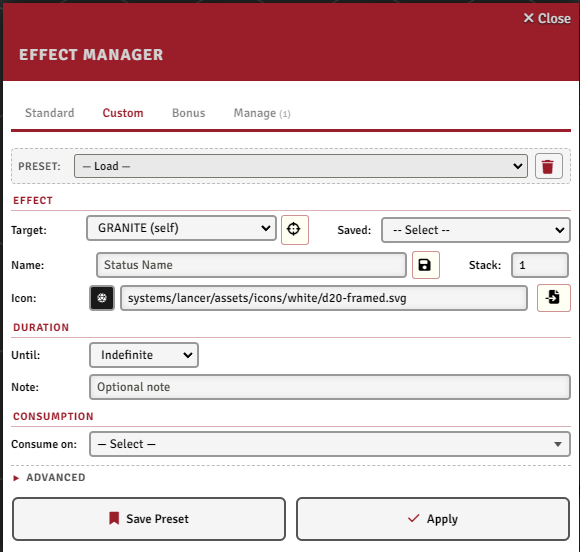
This tab appears only when the Temporary Custom Statuses module is active, as the front-end for its custom statuses. Make an effect with any name, icon, stack count, duration, and active-effect changes (a JSON array of stat changes).
A Save button stores a custom status (name and icon) to a Saved dropdown you can reload in later sessions, and saved statuses also show up in the Standard tab's grid.
Consuming effects
An effect with charges can burn one on its own when something happens, from a single stack up. Pick one or more consumption triggers (on attack, hit, damage, move, turn start, status applied, and more). The stack drops by one each time, and the effect clears itself at zero.
Most triggers offer filters so the charge only burns in the right situation (the available filters change with the trigger):
- by item - a weapon's LID, or a specific weapon instance on the token (item ID, via an inventory picker),
- by action name or check type (HULL / AGI / SYS / ENG),
- by status (a grid picker),
- boost only and a min distance, for move triggers,
- by role (Consume as: source, target, or either), for attack, damage, tech, and check triggers.
For anything the filters can't express, write a short evaluate function that decides whether a given event should consume a charge. It receives the trigger type, the trigger data, the effect's token, and the effect object.
Bonuses
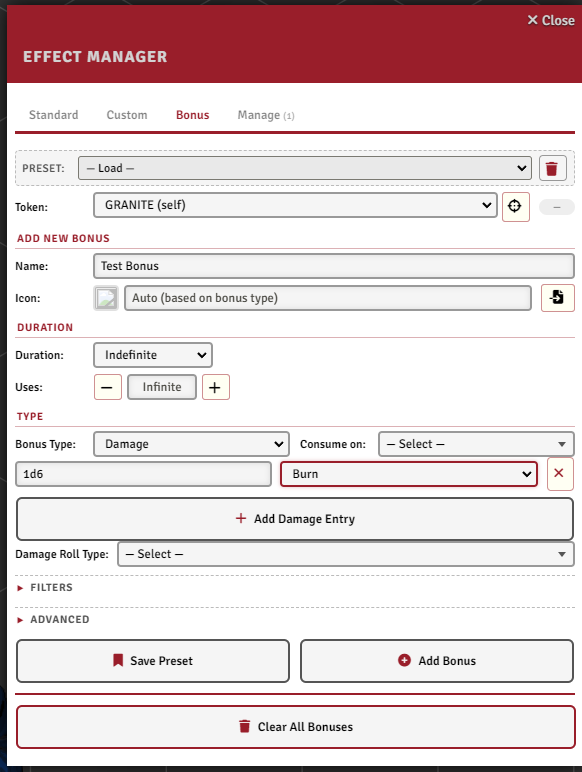
Bonuses apply mechanical changes to Lancer's roll flows. They persist in one of three ways:
- General - visible on the token. Give it a duration (end of turn, start of turn, indefinite, or permanent) and it shows an icon like a status, with optional charges.
- Constant - invisible and permanent. In the dialog this is the Constant (no icon, always active) duration. From code it's
addConstantBonus, for baseline stats or immunities (see Automation Engine and the Insulated example in NPC Examples). It survives a reload. - Flow - injected into the current flow only, via
triggerData.flowState.injectBonus(...)from an activation.
Full API (every type, immunity queries, flow injection) is in Effects API.
Bonus types
| Type | What it does |
|---|---|
| Roll (Acc/Diff) | Add accuracy or difficulty dice to matching rolls (attacks, checks, saves). |
| Damage | Bonus (default): add extra rows in the Bonus Damage section, per-target or global. Add: append rows to the weapon's Base Damage. Replace: substitute the weapon's Base Damage with a new set. Change Type: remap damage types (per-type from -> to, or a catch-all "All -> X"). Add, Replace, and Change Type are actor-wide only. |
| Stat | Change an actor stat: HP, Heat, Armor, Speed, Evasion, etc. Modes: Add (delta) or Replace (set to val). |
| Tag | Add, increment, override, or remove a weapon tag (Accurate, Overkill, ...). |
| Range | Change a weapon's ranges (Range, Threat, Blast, Burst, Cone, Line). |
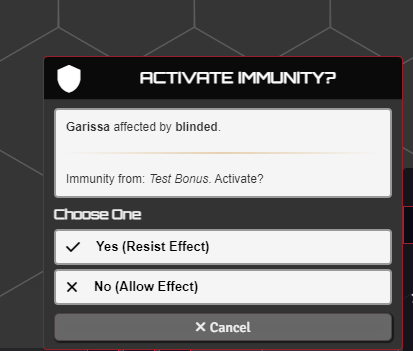
| Immunity | Immunity to a damage type, effect, crit, terrain, or engagement. Prompts a choice card on incoming damage (below). |
| Target Modifier | Tactical changes to the target: cover, invisibility, armor-piercing, half-damage, paracausal, or force a hit / crit / miss. |
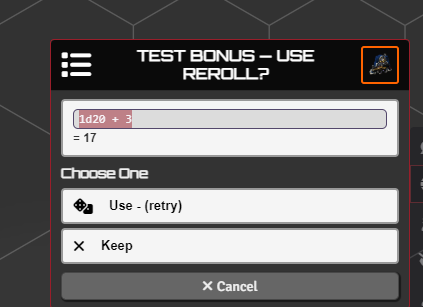
| Reroll | Reroll a roll type (attack, tech attack, damage, skill, structure, stress). Modes: retry, highest, lowest, or choose. |
| Movement Extra | Extra spaces added to each move. Applies to Boost or Standard Move. |
Accuracy and difficulty bonuses show up in the roll HUD before you confirm. Damage bonuses appear in the damage output.
Subtype lists per type are in addGlobalBonus, immunity ones in Immunity subtypes.
Tuning a bonus
- Roll-type filters - restrict to attacks (melee / ranged / tech), checks (HULL / AGI / SYS / ENG / grit), structure, overheat, or all flows.
- Item / token filters - scope to a weapon by LID (a type), or to a specific weapon instance on the token (item ID, via an inventory picker), and to one or more target tokens.
- Targetter - reverse it: the target applies the bonus to the attacker, for debuffs or reactive effects. Hidden for Range bonuses, which cannot use it.
applyToTargetterin the API fields. - Uses - a charge count. The bonus is removed when it hits zero.
- Condition / Apply-to-condition functions - short synchronous JS gates: whether the bonus applies at all, or whether it applies to one specific target.
Immunity bonuses take these filters too, and the dialog shows a different set per subtype. Damage, resistance, crit, hit and miss get Roll Type, Items (LID) and both code fields. Effect and provoke get the code fields only. Terrain, obstacle and elevation get none. The roles are reversed: reactorToken is you, target is the other party.
- Consumption - the same trigger system as effects above, to deplete charges on events.
Attach to items and prototype actors
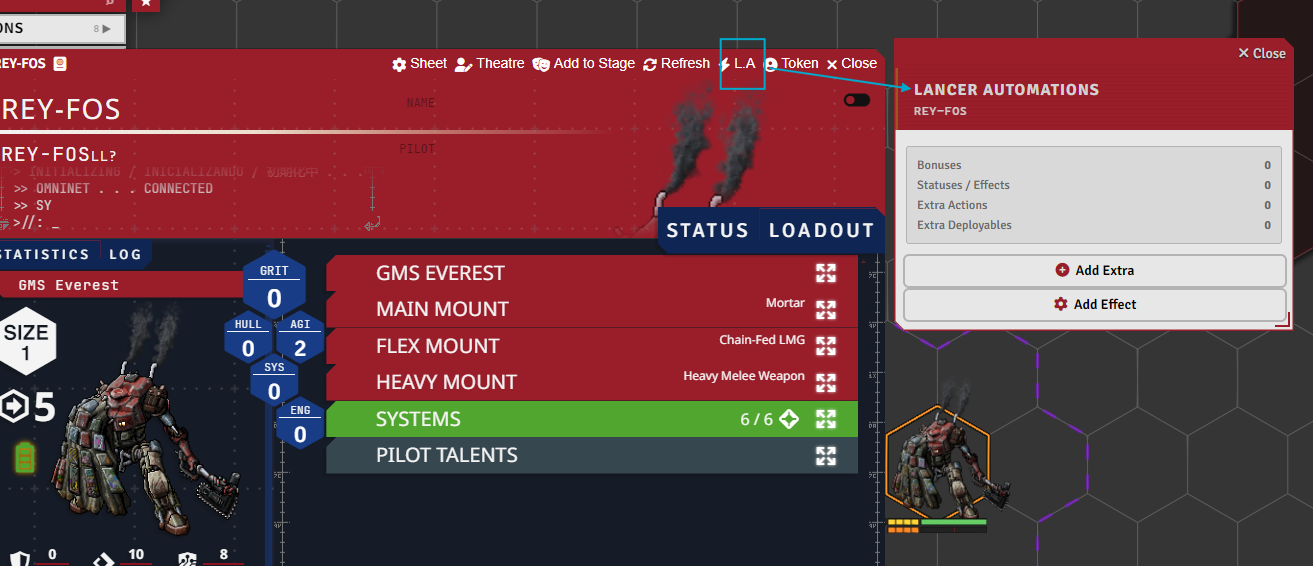
Statuses, bonuses, and extras can be attached to an item or a prototype actor instead of a scene token. The L.A button on the item or actor sheet header opens a menu with a count of what is already attached, and its Add Effect entry opens the Effect Manager (the menu also holds Add Extra, and Extra Config on items).
Anything attached to an item follows the item: whoever carries it gets the effect, and it goes away if the item is destroyed or removed. Prototype actors work the same way, keyed on the actor: every token spawned from the prototype picks it up.
When the owner is a tiered NPC, an entry can be tier-gated so it only applies at a chosen tier (T1 / T2 / T3).
Immunity and the choice card
When a token holds an immunity bonus and takes matching damage, a choice card prompts whether to apply the immunity.
Manage tab
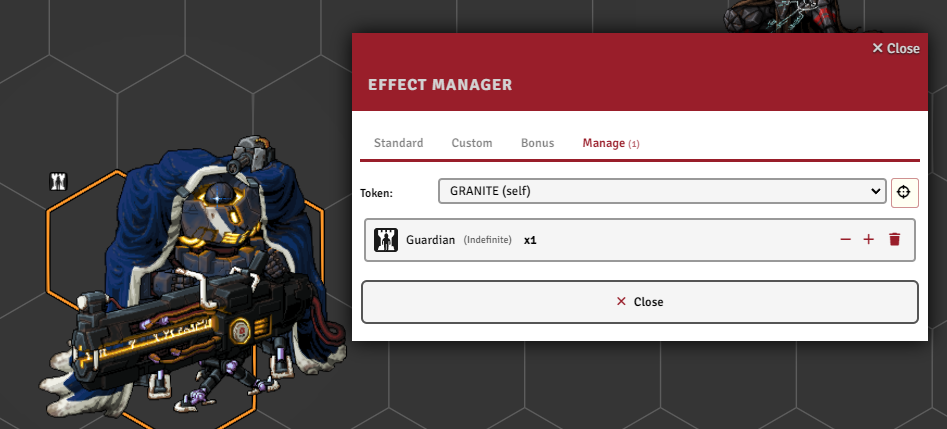
See every effect and bonus on the selected token, nudge stacks with the +/- buttons, or delete them. Bonuses show their full summary - type and effect (e.g. "Damage [2d6 Kinetic]"), remaining uses, item filters, and which flows they apply to - Constant ones included.
Duplicate module effects that share a name collapse into one icon with a count badge.
The Infection damage type is built on this system but has its own guide: Infection.