Gameplay Automation
← Back to Home · Engine: Automation Engine
Lancer Automations runs the procedural parts of play for you: combat actions and reactions, plus Lancer's own out-of-combat flows for scanning, rest, and downtime. Most fire off triggers (a move, a hit, the start of a turn) and resolve the rules.
Settings
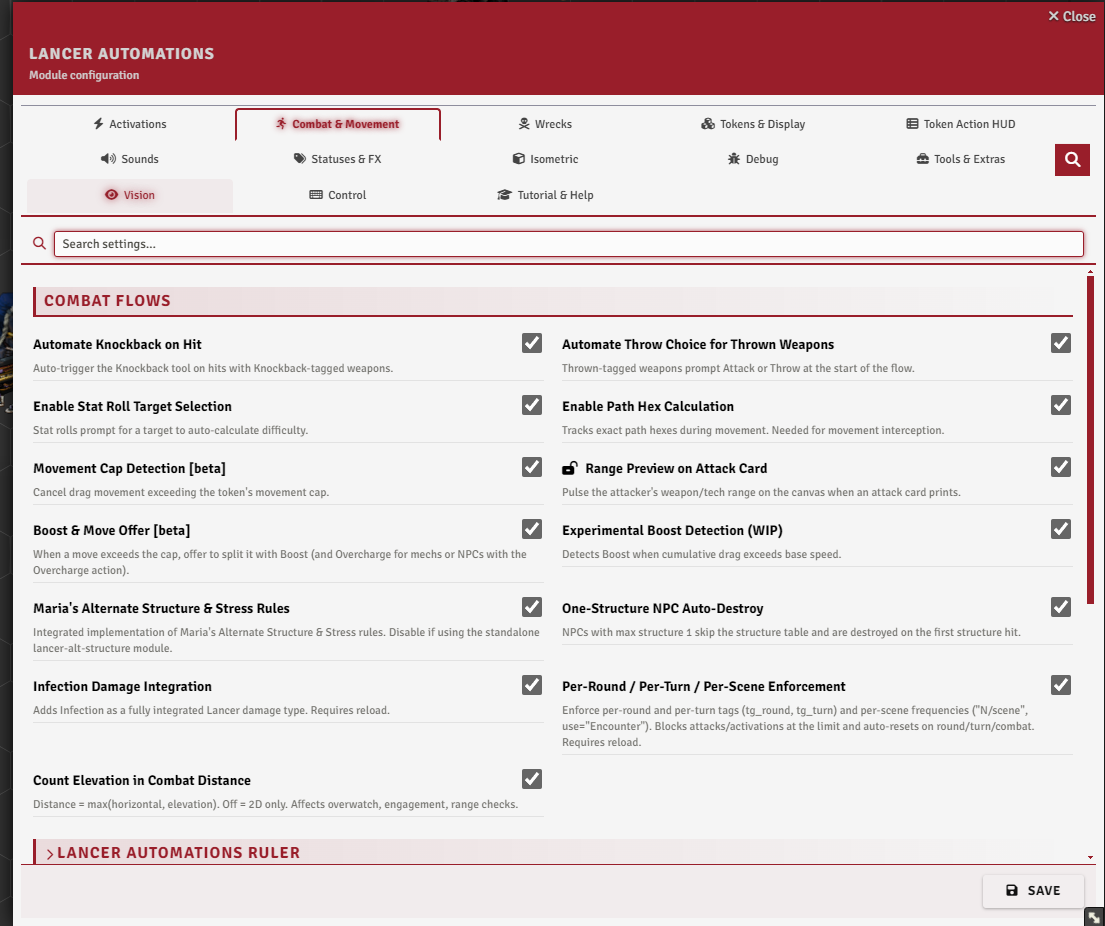
Most of what this page covers sits on the Combat & Movement tab, under Targeting, Attacks, Movement & Boost, Structure & Damage, and Turns & Actions. The rest is on the Activations tab, under Activation Manager and Scan.
Built-in actions and reactions
Almost all of Lancer's actions and reactions are automated here. These aren't new rules, only Lancer's own actions run for you, and each one can be turned off or rewritten in the Activation Manager (see Automation Engine). Stabilize and Scan already have a version in the Lancer system, which the module swaps for a fuller one.
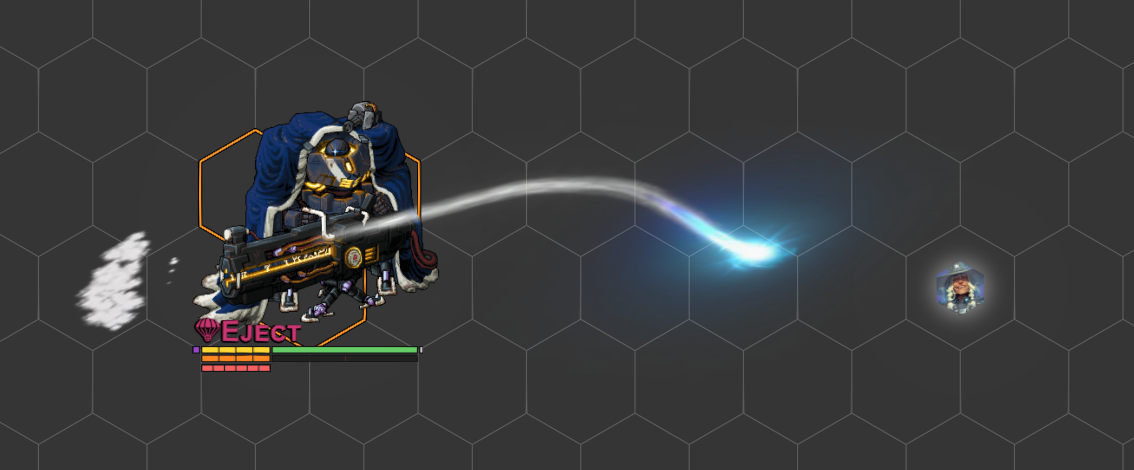
Checks and combat flows
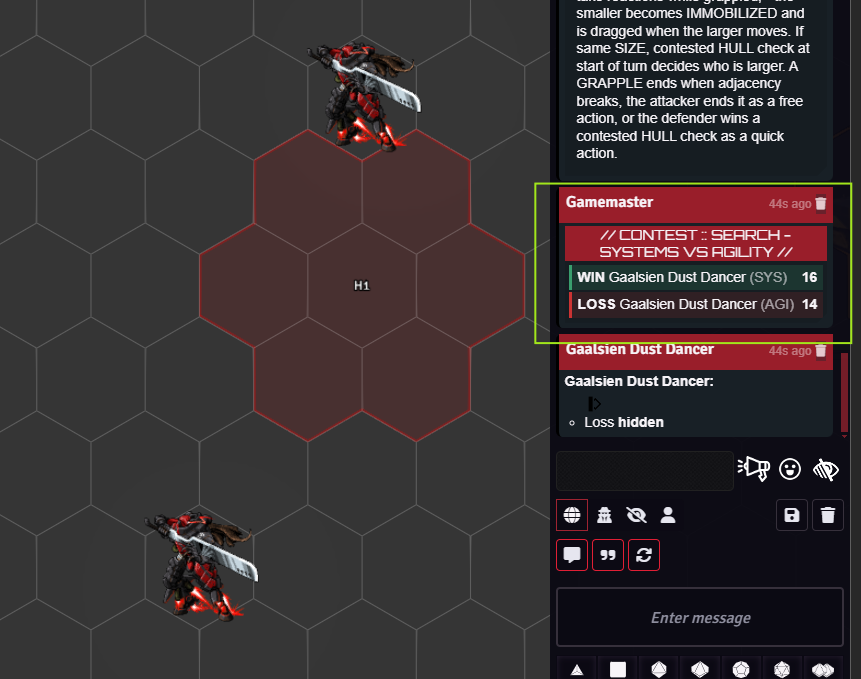
Search, Break Free, and Lancer's other opposed checks are rolled for you as stat contests, and you can trigger one from code with executeContestedCheck(tokenA, statA, tokenB, statB), which returns the winner.
Force Check (TAH Skills, or executeForceCheck) sends a HASE check to picked tokens, each rolled by its owner. Give it a save target and it becomes a save vs that actor's SAVE, pre-targeted in the roller's HUD.
Auto-knockback (the damage dialog's Knockback checkbox, reading a weapon's Knockback tag) is a combat flow covered in Interactive Tools. Throwing is one too: with enableThrowFlow on, attacking a throwable weapon first asks whether to attack or throw, and a thrown attack lands the weapon as a token (see Advanced Targeting and Measurement).
With autoDamageRoll on, the damage roll opens on its own after an attack, and autoDamageApply applies the rolled damage to the targets.
Overwatch
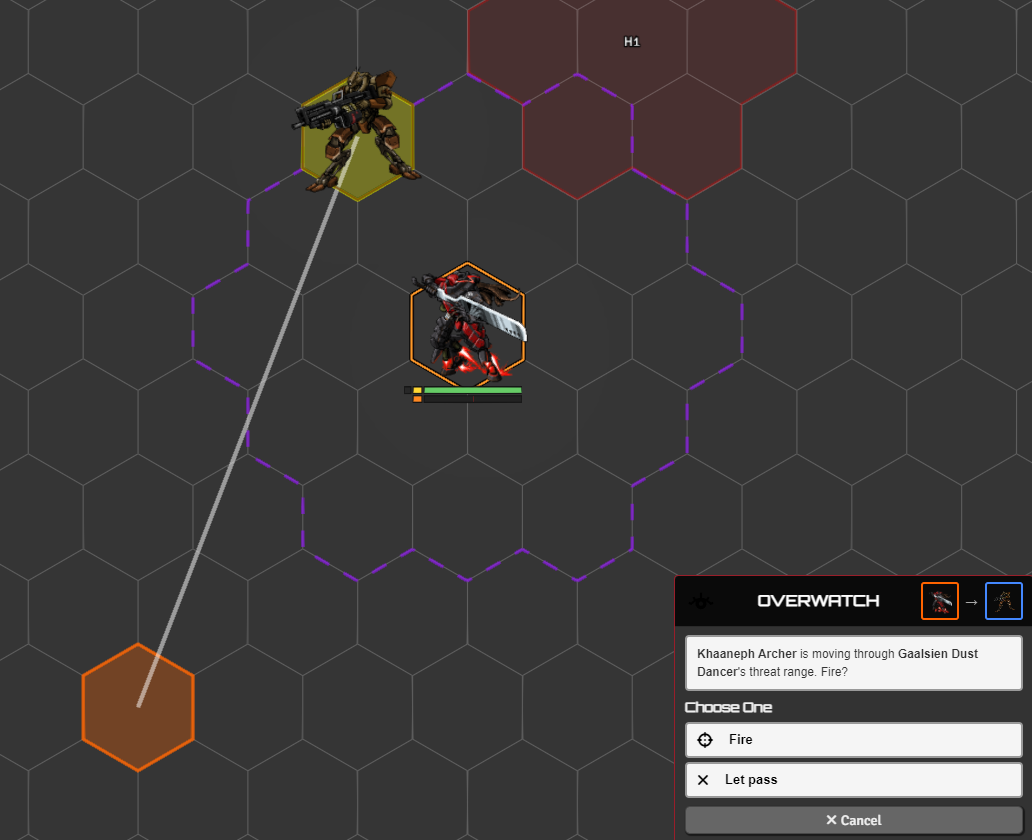
Overwatch is automated two ways, and both ship disabled. Enable one in the Activation Manager, or answer the Movement: Interrupts step of the setup wizard.
- Notify after move (v1): after a hostile moves inside your threat, an Overwatch activation card prints for the reacting token, with the trigger and effect text. It flags the chance but doesn't stop the move.
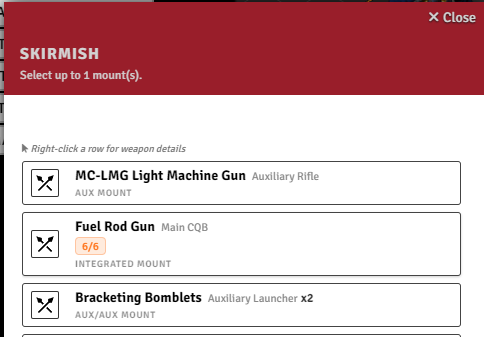
- Interrupt before move (v2): pauses the move and asks the owner to Fire or Let pass, resolving the Skirmish before the move continues.
The wizard enables the one you pick and turns the other off. Threat range reads from Grid-Aware-Auras threat auras when present, otherwise from the actor's weapon threat.
Grapple
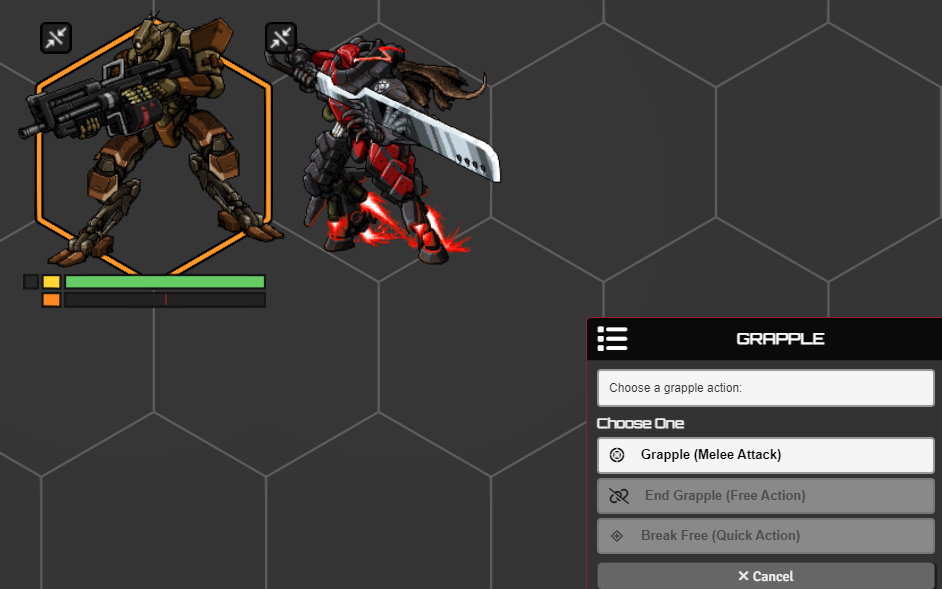
Grapple is automated: on a melee hit it applies Grappled and Grappling, and Immobilizes the smaller side by combined size, with equal sizes settled by a HULL contest at the start of each turn.
The immobilized side is dragged along when the controlling side moves, and a knockback breaks the grapple. The Grapple card also offers End Grapple and Break Free.
A target immune to Grappled is skipped, and there's a Grapple macro too.
Action limits
Brace, Dazed, Staggered (Dead Rings), and Slow grey out the actions they block in the HUD while the status is on. The action popup names the locking status. Dazed also shows no movement on the ruler.
Stabilize
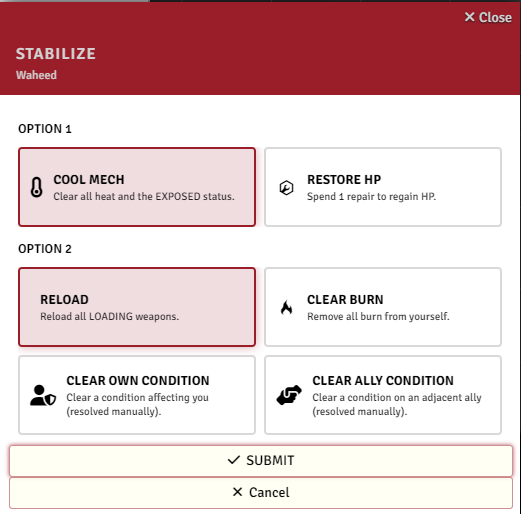
Stabilize gets a clearer dialog for its two choices. An NPC only cools and reloads. Whether it spends a Full action is set by Consume Action on Activation (consumeAction), a world setting under Activations → Activation Manager that is on by default and covers every activation flow. With infection integration on, clearing burn also clears infection.
Usage limits
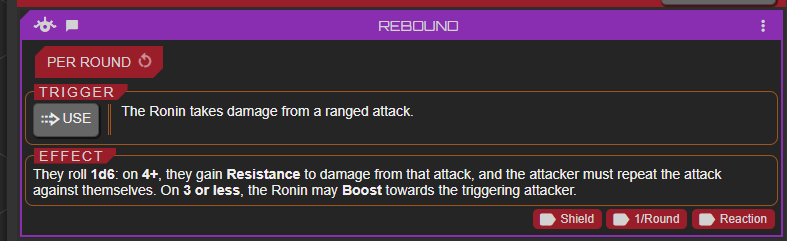
Beyond Lancer's own limited and recharge tracking, weapons and systems tagged per round, per turn, or per scene get their own pip counters injected straight onto their cards in the actor sheet. Firing the tagged weapon or system ticks a pip, it is blocked once the pips run out, and they reset at the matching boundary: the start of a round, the start of your turn, or a new combat encounter. Per-scene counters reset per encounter, when a combat starts and when it is deleted, not when you change scene.
Turn this on with Per-Round / Per-Turn / Per-Scene Enforcement (enablePerRoundTurnTags, needs a reload).
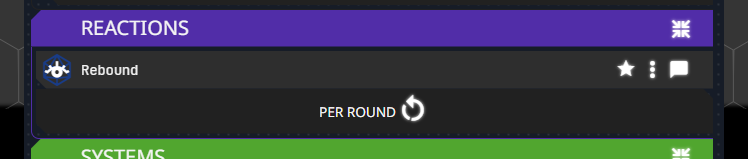
The counters are drawn to match whichever sheet you use, both the default Lancer sheet and the alternate sheet layout.
Skip resource consumption
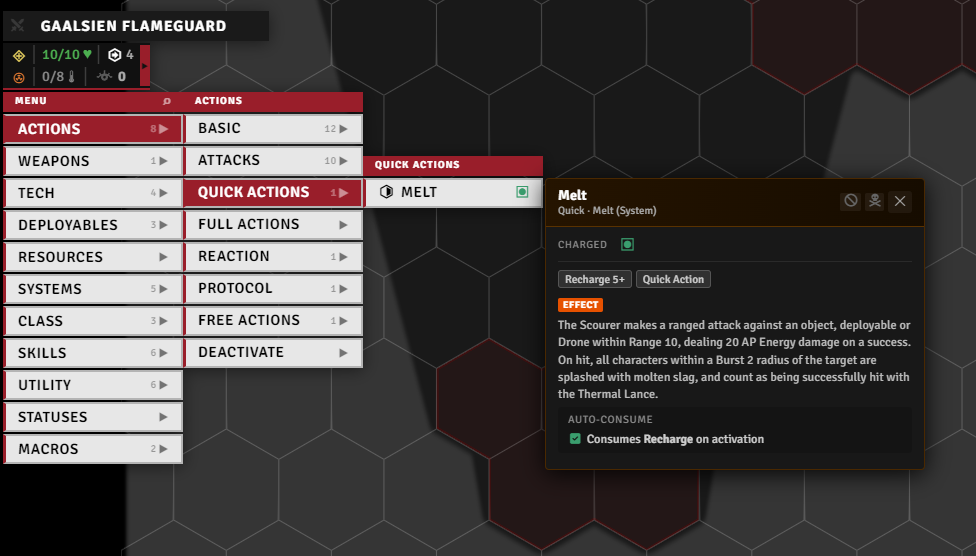
Stop an item from spending its resources when it fires, per resource type. Toggle it from the item's popup in the Token Action HUD, or from Extra Config on the item sheet (same menu as Add Extra).
Reinforcement

For units that arrive partway through a fight. Drag the new tokens onto the scene holding Alt to drop them hidden, then, in combat, select them, run the reinforcement tool, and set how many rounds until they land. They stay hidden until then.
In their place it drops a countdown marker, but only if it can find one:
- It looks up a world actor named after that token's size, exactly
Size 1,Size 2,Size 0.5and so on. - It spawns that actor's token at the spot, renamed
[N]and ticking down each round. - Without a match the token only hides, with no marker.
You make those placeholder actors yourself, one per size you use.
When the round arrives, an NPCs Arriving dialog lists the due tokens with a checkbox each so you pick who actually shows up. The chosen ones reappear with a burst effect (needs Sequencer and JB2A) and their marker is cleared. The rest are deleted along with their markers.
Alt structure & stress
Off by default, Maria's Alternate Structure & Stress Rules (enableAltStruct, needs a reload) swaps Lancer's structure and overheat rolls for the alternative ruleset, my implementation of BadIdeasBureau and Kaffo's LANCER Alternative Structure. It refuses to load while the standalone lancer-alt-structure module is active, so run one or the other.
Both are rolled on keep-lowest tables: structure outcomes run from a glancing blow up to a crushing hit, with HULL checks and a system-trauma dialog where you tear off a weapon or system. Stress outcomes cover power failure, emergency shunt, and reactor meltdown, gated by ENGINEERING checks and a meltdown countdown.
One-Structure NPC Auto-Destroy (enableOneStructNpc) only touches NPCs that already have a max structure of 1: they skip the structure table and are destroyed on the first structure hit. It changes nothing about stress. The matching stress rule, an NPC with max stress 1 going Exposed instead of rolling, is separate and always on.
Scan
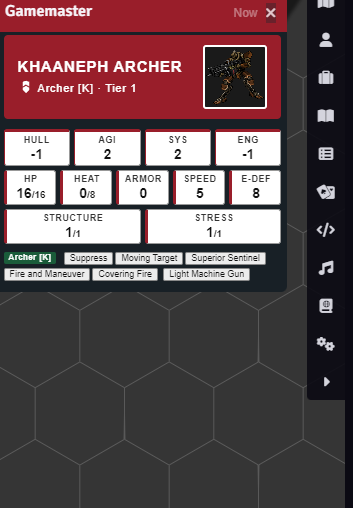
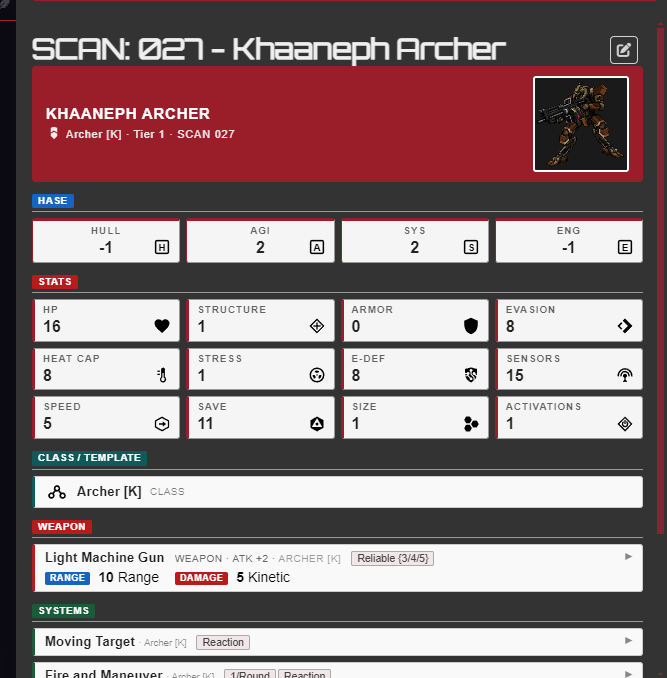
LA's scan runs on both the legacy scan and the native Lancer-system scan. scanJournalSource chooses which one produces the result. Routing it through LA is what makes a scan reusable: each one is recorded as scan ownership, granted to players by scanPlayerOwnershipMode (everyone, a player group, or only the scanner).
Other LA features read that ownership to tell whether a player may see a target's data, so an NPC's information stays hidden until it's scanned. The token stat hint reads UNKNOWN until then, the custom stat bars can be set to appear only once scanned, and the HUD glossary panel lists what you've scanned.
revealStatsWithoutScan turns that gate off: every actor reads as scanned, so stats show without anyone running a scan. The glossary still lists only real scans.
Rest
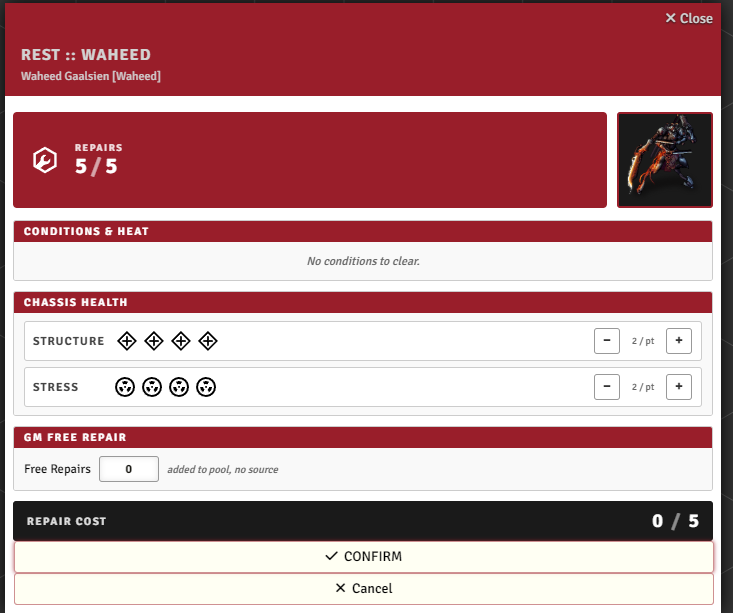
Pick a mech or pilot and open Rest to spend its repair pool. You can pull repairs from nearby allies or have the GM grant more, and at 0 structure or stress it switches to an emergency recovery. A rest report is posted to chat.
Downtime
A guided downtime flow: pick the pilot, choose one of the nine downtime activities, set an objective, and roll its skill trigger (with manual-roll and accuracy/difficulty overrides for the GM). The result card shows the outcome and can be logged to a downtime journal, with activity names shown as either in-world or rulebook terms.
Custom activities can be added as Downtime Activity items or imported from an LCP - see System Additions.
Reserves
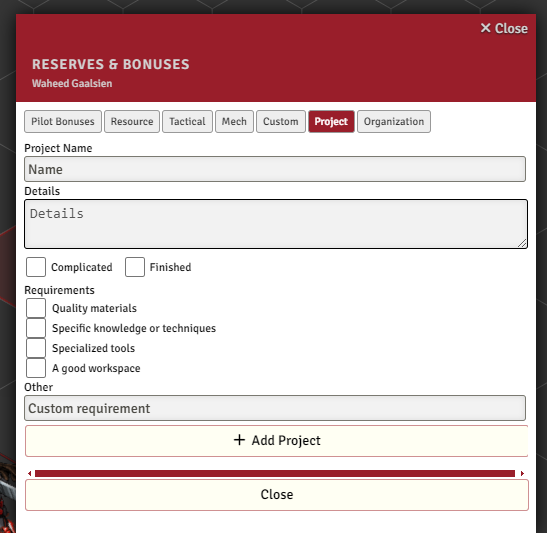
Add Lancer's pilot reserves and bonuses, including custom reserves, projects, and organizations, without opening the compendium. Search to filter, click to add it to the pilot.
Notable options
| Option | What it does |
|---|---|
| Automate Knockback on Hit | Auto-trigger the Knockback tool on hits with Knockback-tagged weapons. |
| Automate Throw Choice for Thrown Weapons | Attacking with a throwable weapon first asks whether to attack or throw. |
| Auto Damage Roll | The damage roll opens on its own after an attack. |
| Auto Apply Damage | The rolled damage is applied to the targets. |
| Per-Round / Per-Turn / Per-Scene Enforcement | Pip counters for per-round, per-turn, and per-scene tags, blocking use at the limit. Needs a reload. |
| Maria's Alternate Structure & Stress Rules | Alternative structure and overheat tables. Needs a reload, and conflicts with the standalone lancer-alt-structure module. |
| One-Structure NPC Auto-Destroy | NPCs with max structure 1 skip the structure table and are destroyed on the first structure hit. |
| Consume Action on Activation | Auto-spend the token's Quick or Full action when an activation flow succeeds. |
| Scan journal source | Which scan produces the result: the native Lancer journal or the LA legacy template. |
| Player Ownership | Who gets scan ownership when a player runs a scan. GM scans always grant to all players. |
| Reveal Stats Without Scanning | Every actor reads as scanned, so stats show without anyone running a scan. |