Custom Token Stat Bars
← Back to Home · The action HUD: Token Action HUD
Lancer Automations draws its own bars and labels directly on the token, as a replacement for Bar Brawl. It also adds a hover popup (the token stat hint) with a token's full stats. Both are separate from the Token Action HUD and work whether or not the HUD menu is enabled.
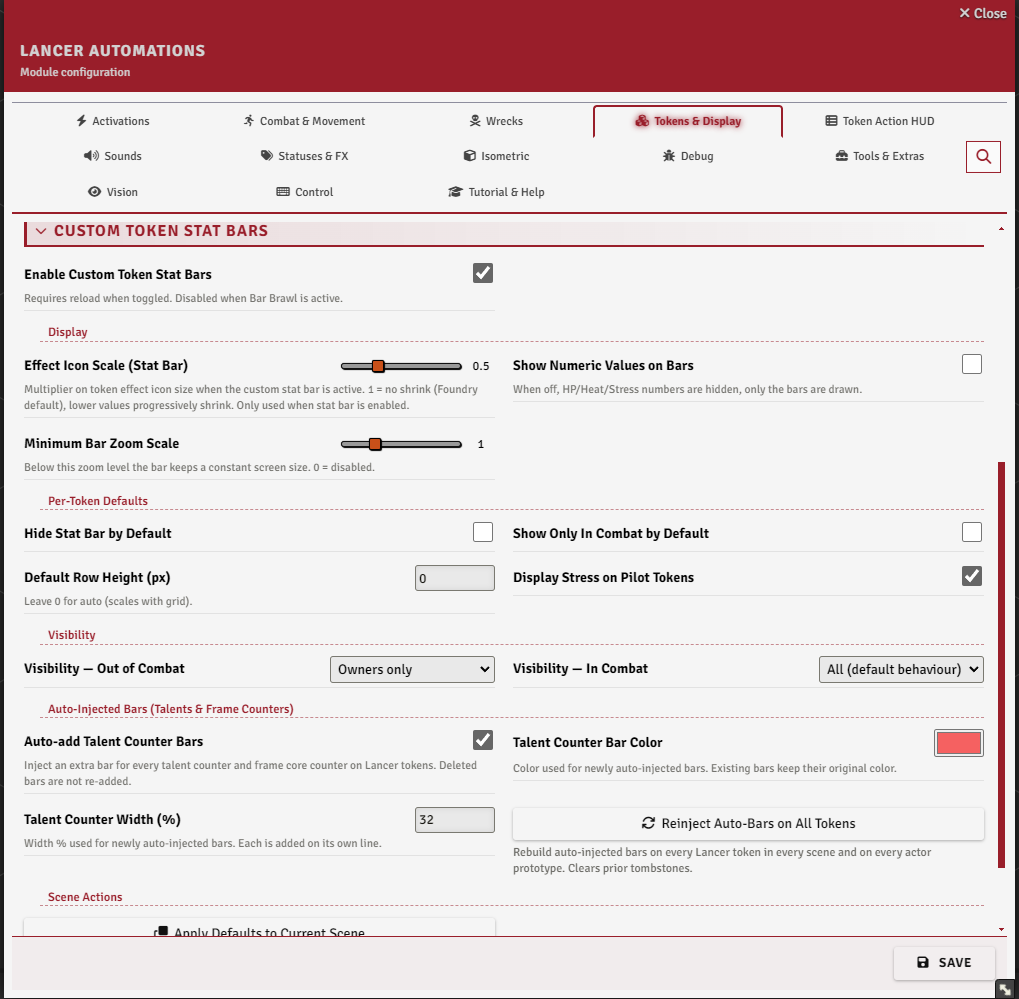
Settings
Everything here lives in the Tokens & Display tab. The bars and the hover popup sit in the Custom Token Stat Bars and Token Stat Hint sections, the halo, hover info and effect icon scale in Status Icons, and Allow Half-Size Tokens at the top of the tab.
Turn the bars on with Enable Custom Token Stat Bars (tokenStatBar). It needs a reload, and the whole subsystem is skipped while the Bar Brawl module is active, so disable that module first.
What the bars show
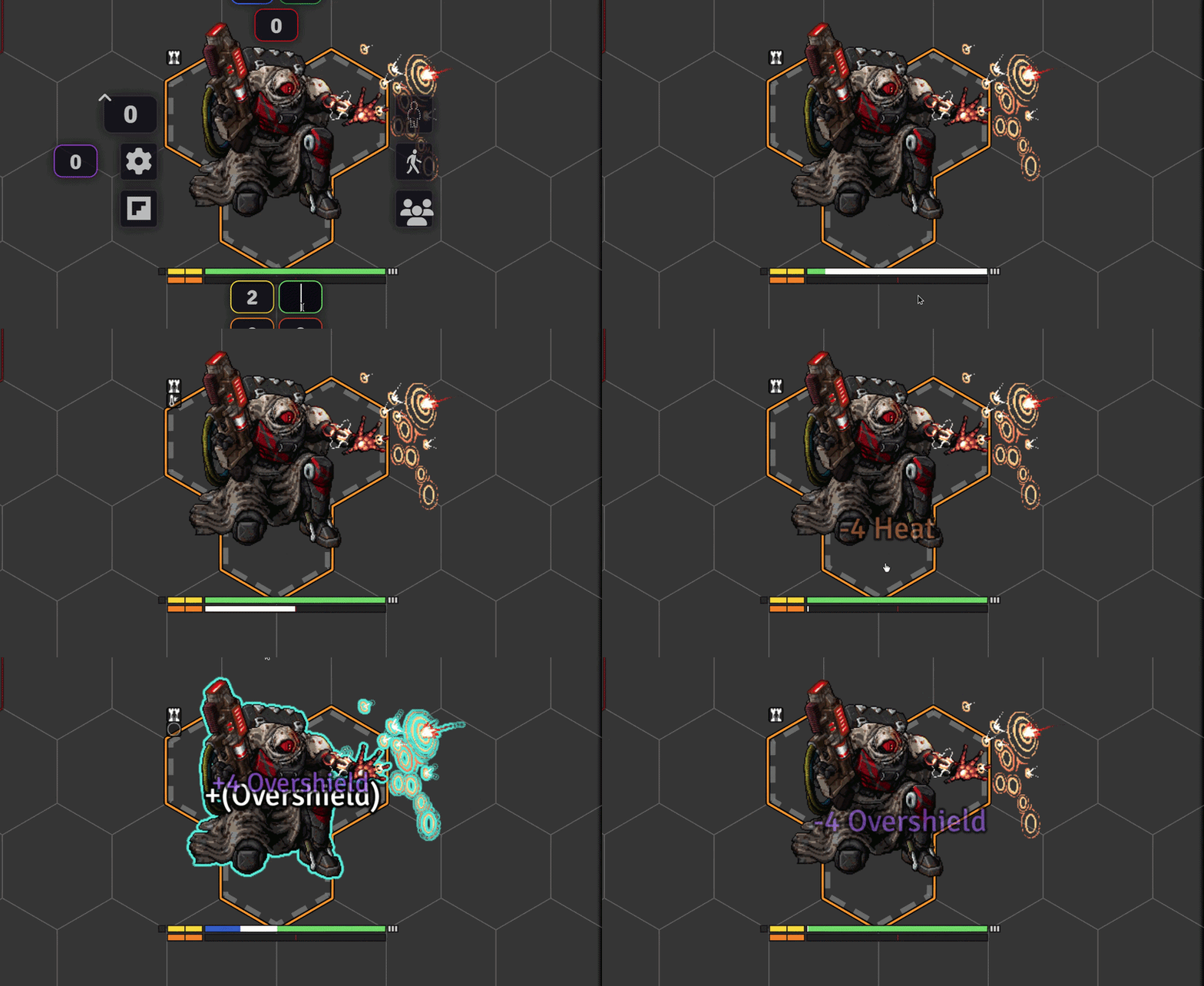
Under the token, depending on the actor type:
- HP and heat bars (heat on mechs, NPCs, and deployables).
- Structure and stress as discrete pips (mechs and NPCs).
- Overshield as a pulsing overlay on the HP bar, burn and infection as stripes when above zero.
- Pilot bond stress on pilot tokens (when enabled).
- A reaction pip on the edge (solid when available, dim when spent), and armor ticks beside HP (GM and owners only).
Elevation also gets a small badge at the token's corner (up/down arrow with the value) instead of Foundry's default tooltip. Numeric values next to the bars can be turned off with Show Numeric Values on Bars, and the status-effect icons on the token are scaled by Effect Icon Scale to make room.
Visibility and defaults
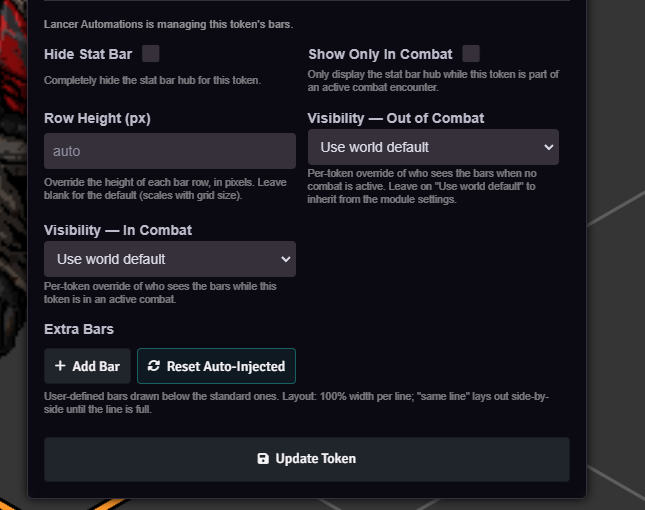
The settings hold the world defaults. Each token can override them from Token Config → Resources tab:
- Visibility mode, set separately for in combat and out of combat: All, Owners only, Owners + scanned, or None (only when the token is selected). A fifth entry, Use world default, clears the override.
- Show Only In Combat - bars appear only during an encounter.
- Hide Stat Bar - suppress the bars on this token. They still flash briefly when a value changes.
- Disable Stat Bar - never show them on this token, not even on value changes.
- Row Height (px) - fixed pixels, blank or 0 to scale with the grid.
- Display Stress - show the pilot bond-stress bar (pilot tokens).
The visibility mode says who may see the bars. On top of that, the bar hub is only drawn when the token is controlled, hovered, targeted by you, or while Alt is held.
Minimum Bar Zoom Scale keeps the bars a constant screen size below a given zoom level.
Hold Alt to peek: while held, the bars show on every visible token regardless of its visibility mode.
Extra bars
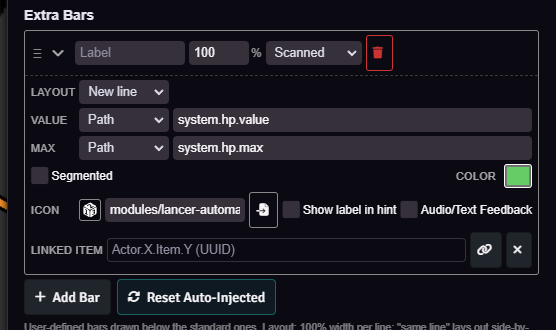
The Extra Bars section of Token Config → Resources adds your own bars below the standard ones. Each bar has:
- a value and max that are either typed in (manual) or read from an actor data path,
- segmented (a settable number of pips) or continuous fill,
- a label, width %, new line / same line layout, color, and icon,
- a visibility (owner / scanned / all), a show-label-in-hint toggle (label next to the icon in the hint), optional floating-text + sound on change, and an optional linked item (right-click the bar in the HUD's Resources to open its sheet).
Manual bars can be driven from code (updateExtraBarValue, addExtraBar, removeExtraBar), see Token Display API.
Set on an item or actor instead of one token, an extra bar becomes a template that auto-adds to that actor's tokens. Alt Sheets custom fraction flags show up as bars here too.
Auto talent counters
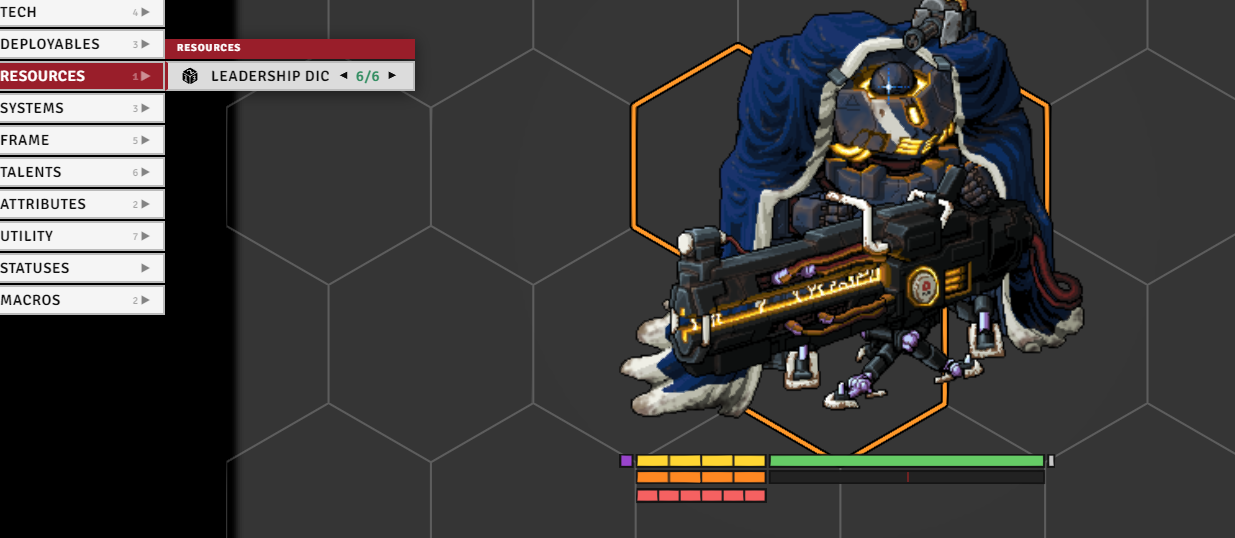
With Auto-add Talent & Frame Counter Bars (statBarAutoInjectTalents) on, the module adds an extra bar for every talent rank counter and frame core counter on Lancer tokens. The color and width % of new auto-bars are set in the same section.
A bar you delete stays deleted (it isn't re-added), and a token's Reset Auto-Injected button rebuilds them from its current talents and frame.
Maintenance buttons
In the Custom Token Stat Bars settings:
- Apply Defaults to Current Scene - push the world default flags (hidden, combat-only, row height, visibility) onto every Lancer token on the active scene, clearing per-token overrides.
- Reinject Auto-Bars on All Tokens - wipe and rebuild the auto-injected talent/frame bars across every scene token and actor prototype in the world.
Token stat hint
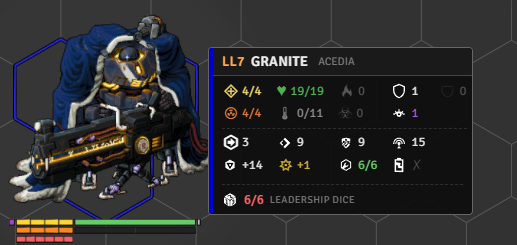
A hover popup with a token's full stats, enabled with Enable Token Stat Hint (tokenStatHintEnabled). Settings cover the hover delay, the popup scale, whether it shows for the token you control, whether it's combat only, and whether it carries a HASE line (Show HASE).
For enemy tokens, the label mode decides what the header shows: the real name, or a scan-gated name that stays UNKNOWN until you scan the token (with options for the placeholder text and for hiding class/tier until scanned).
A scanned token (or the GM view) shows the full stat block. An unscanned enemy shows only the damage taken, never its max values. A disposition color stripe runs down the edge.
To drop the scan gate entirely, turn on Reveal Stats Without Scanning (Activations → Scan). Every actor then reads as scanned, for the hint, the scanned stat bars, and the consume feedback alike.
Half-size tokens
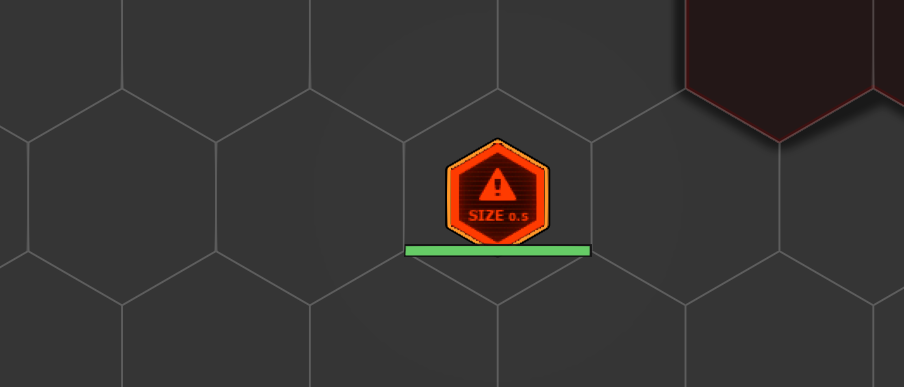
With allowHalfSizeTokens on, a size-0.5 actor's token takes up half a grid space instead of being forced to a full 1×1.
Status icons
Status Icon Halo circles the icons around the token instead of stacking them in a column, with sliders for ring radius and the angle of the first icon. Inspired by status-halo. If that module is also on, you get a warning on load.
Status Icon Hover Info enlarges the icon under the cursor and shows its name, description, duration and bonus.
Notable options
| Option | What it does |
|---|---|
| Hide Stat Bar by Default | Tokens without a per-token override start with the bar hidden. |
| Show Only In Combat by Default | Tokens without a per-token override show the bar only in combat. |
| Default Row Height (px) | Leave 0 for auto (scales with grid). |
| Display Pilot Stress Bar | Bond stress on pilot tokens and sheets. When Annoying's sheet already shows one, it is recolored instead. |
| Visibility: Out of Combat | Who sees stat bars outside combat: All, Owners only, Owners + scanned, or None. |
| Visibility: In Combat | Who sees stat bars during combat, same four choices. |
| Auto-Injected Bar Color | Default color for auto-injected bars that do not set their own. |
| Auto-Injected Bar Width (%) | Default width % for auto-injected bars, each on its own line. |
| Auto-Injected Bar Audio/Text Feedback | Default audio + floating text on value changes for auto-injected bars. |
| Auto-add Custom Flag Bars (Alt Sheets) | With Annoying's Alternative Sheets: fraction flags render as token bars, value flags as TAH counters. |
| Auto-add Bond XP Bar | Cyan XP bar on bonded pilot tokens. Not listed in the hover popup resources. |
| Hover Delay (ms) | Delay before the popup appears. |
| Popup Scale | Size of the popup, independent of token size and zoom. |
| Show for Controlled Token | Show the popup for the token you control. |
| Show Only In Combat | Popup only appears for tokens in an active combat. |
| Unknown Label | Text shown for unscanned NPCs in Tied-to-scan mode. |
| Hide class/templates/tier when not scanned | Also hide the class/frame subtitle and tier badge until scanned. |
| Hide current values without owner/observer access | Current HP, heat, reaction, and resources show as "?", and unscanned tokens hide their damage track. |
| Show HASE | Adds a hull/agility/systems/engineering line to the popup. |