Isometric Compatibility
Lancer Automations only supports isometric-perspective.
grape_juice-isometrics isn't supported and isn't tested. It may work, but issues specific to it won't be handled unless they're proven unrelated to it. Support may come later, it's not a priority right now.
It re-aligns its own overlays (stat bars, labels, target reticle, etc.) so they sit upright over the projected token instead of the flat grid cell, and on Isometric Perspective it animates a token's elevation over terrain.
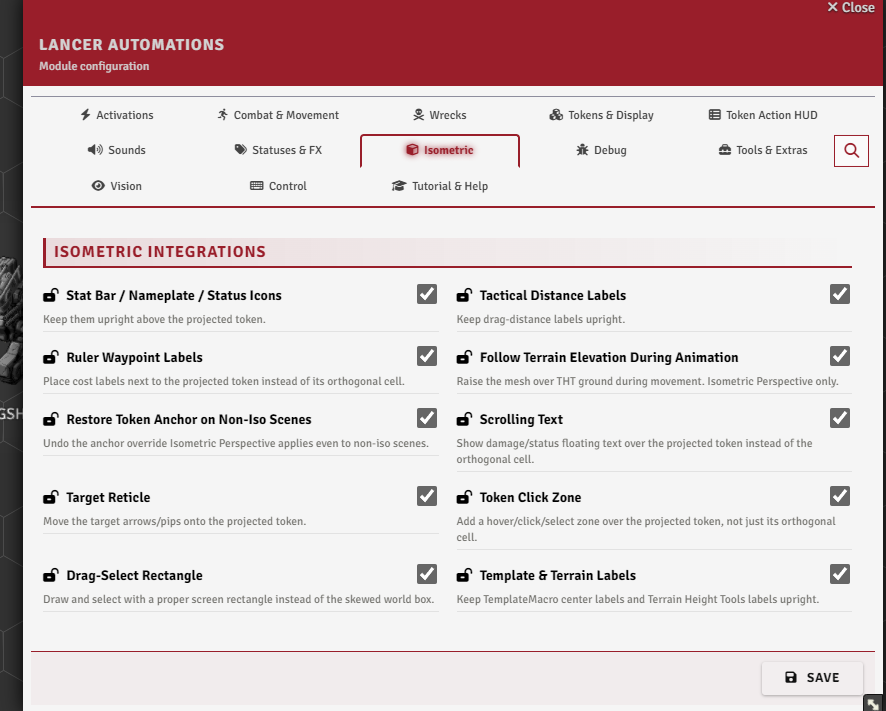
Settings
Isometric → Isometric Integrations. The tab is always there, but with neither isometric module active it renders greyed out with a tooltip naming what to install.
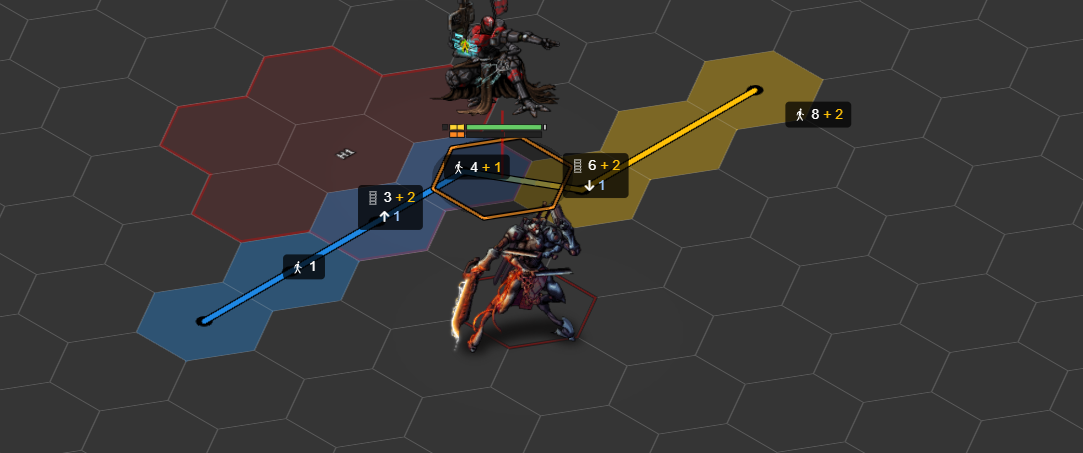
Terrain-follow elevation animation
Follow Terrain Elevation During Animation (iso.elevationAnimation) - as a token moves over Terrain Height Tools terrain, its sprite rises and falls to follow the ground. Isometric Perspective only (not grape_juice-isometrics).
Keeping the UI aligned
Each of the remaining toggles cancels the skew on one overlay. All are on by default. Turn one off only if it clashes.
| Setting | Keeps aligned |
|---|---|
Stat Bar / Nameplate / Status Icons (iso.statBar) |
The bars, name and status icons drawn over the token |
Tactical Distance Labels (iso.tacticalDistance) |
The distance labels shown while dragging a token |
Ruler Waypoint Labels (iso.waypointLabel) |
Waypoint and movement-cost labels on the ruler |
Scrolling Text (iso.scrollingText) |
Floating damage / heal / status text |
Target Reticle (iso.targetReticle) |
Target arrows and pips |
Token Click Zone (iso.clickZone) |
The click and hover area (click the sprite, not the cell) |
Drag-Select Rectangle (iso.selectionMarquee) |
The marquee you drag to select, and what it catches |
Template & Terrain Labels (iso.moduleLabels) |
TemplateMacro zone and THT terrain labels |
Sequencer Effect Shape (iso.effectAspect) |
Sequencer effects: un-squashed on iso scenes, beams kept flat on non-iso scenes |
Restore Token Anchor on Non-Iso Scenes (iso.restoreAnchor) |
Fixes the token anchor on non-iso scenes (Isometric Perspective only) |
Stat Bar / Nameplate / Status Icons, Target Reticle and Token Click Zone are greyed out unless Enable Custom Token Stat Bars (tokenStatBar, Tokens & Display tab) is on. They realign what that system draws, so without it there's nothing to realign.