FX, Visuals and Sounds
The cosmetic and feedback layer: visual effects on statuses, animations when actions fire, cues that make elevation readable, and sounds for most table events. All optional.
Settings
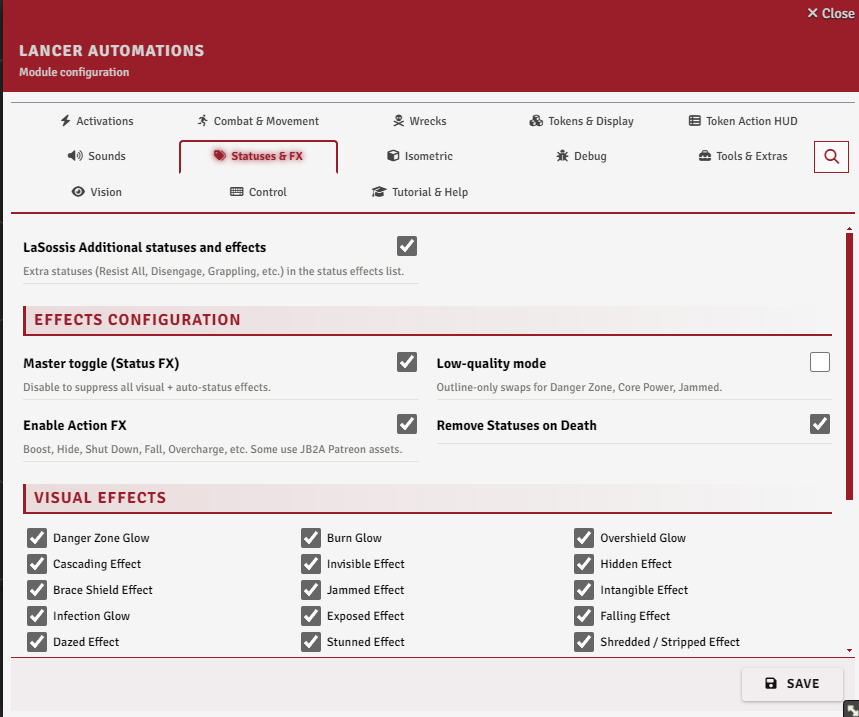
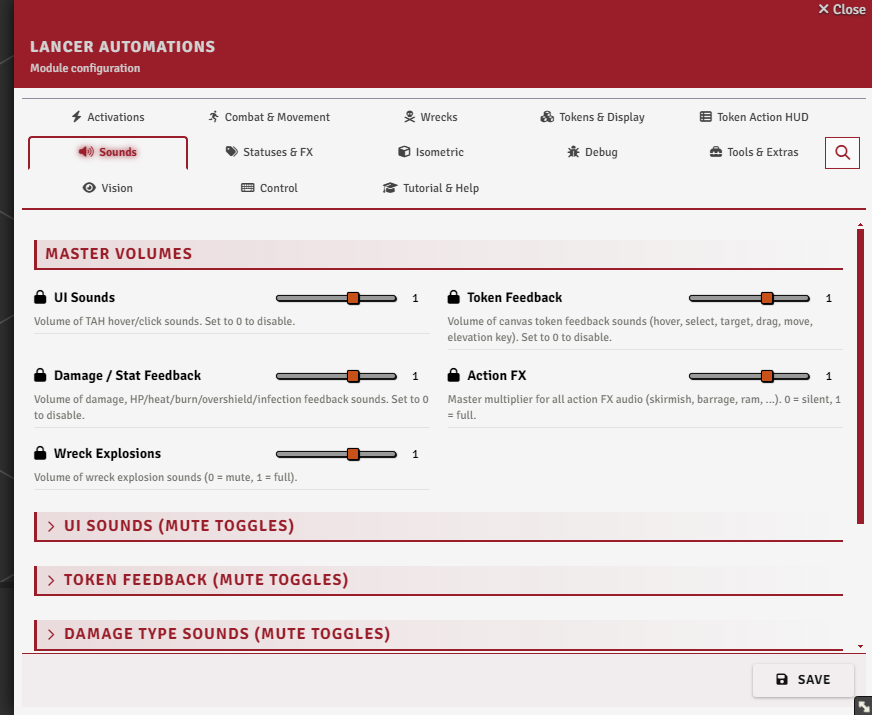
The Statuses & FX tab for the visuals, and the Sounds tab for audio.
Status effect visuals
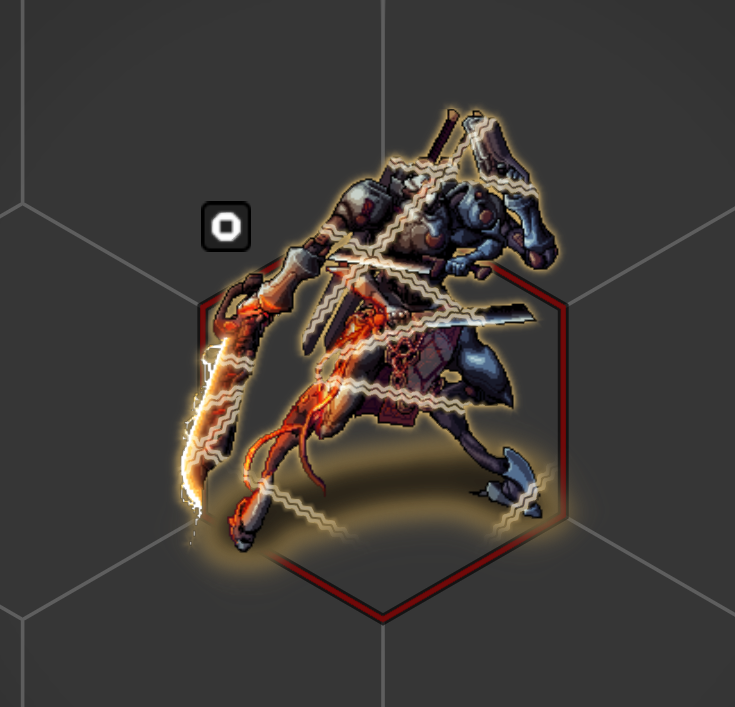
Each status gets a Token Magic FX overlay (Token Magic FX must be installed), applied and cleared with the status itself:
- a danger-zone glow
- a burn shimmer
- an overshield outline
- chains for immobilized
- film grain for stunned
Every one has its own toggle under Visual effects, all under a single master switch.
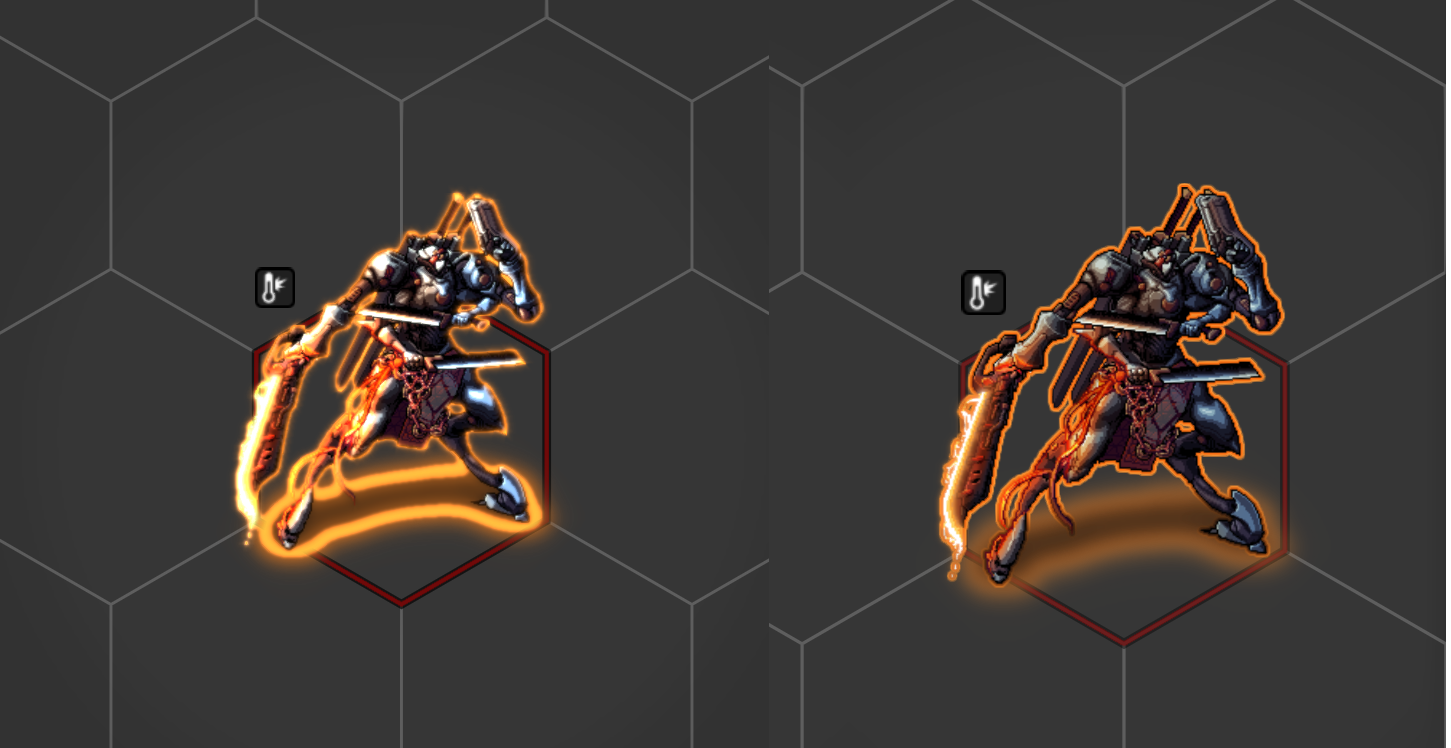
Low-quality mode swaps the heaviest effects, Danger Zone, Core Power, and Jammed, for cheap outline versions. The glow and bloom filters they normally use are GPU-hungry.
Remove statuses on death clears a token's statuses when its structure hits 0.
Auto-status icons
Some statuses are applied straight from the actor's numbers: the danger-zone overlay at heat ≥ 50%, plus burn, overshield, infection, and cascading whenever those values rise above zero. Each has its own toggle under Auto-status icons.
Guardian / Bulwark aura
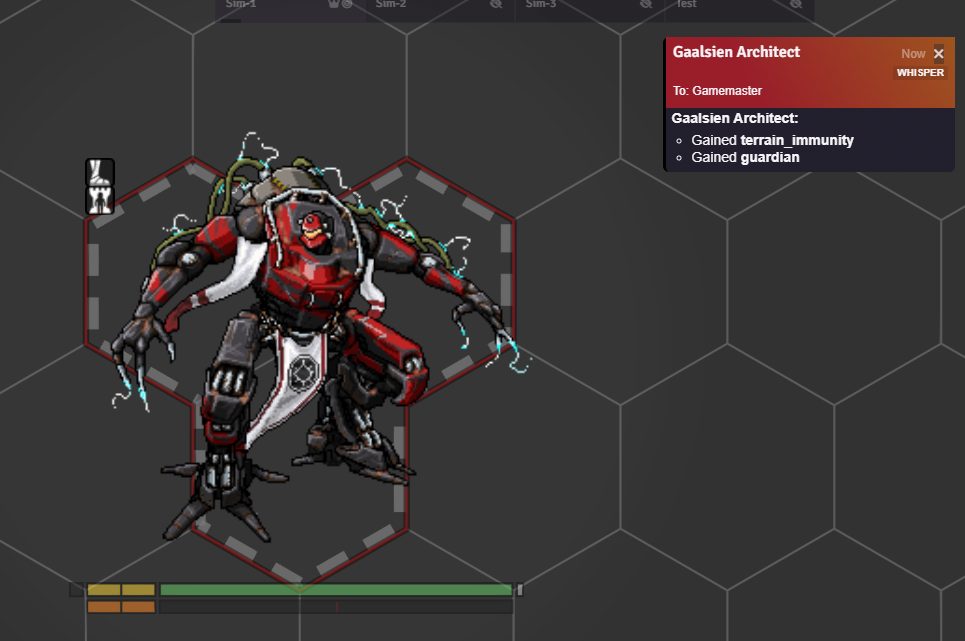
Corner marks are drawn on the footprint of tokens with Guardian or Bulwark. guardianBulwarkAuraMode sets it to always on, combat-only, or off.
Ground shadow and terrain relief
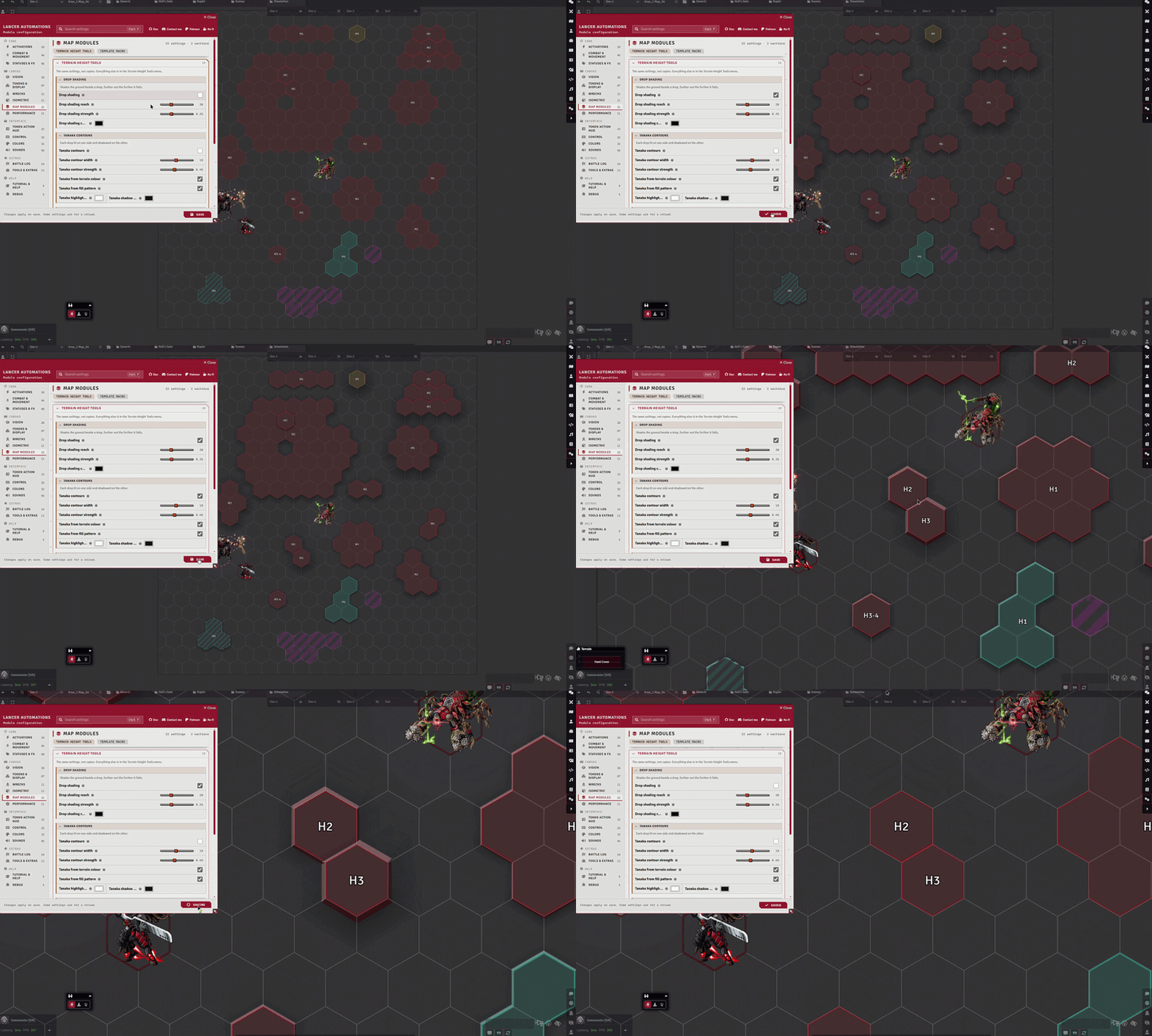
Two cues make height readable from straight above: one drawn on the tokens, one on the terrain.
Token ground shadow (tokenGroundShadow, off by default) casts each token's own silhouette on the ground, thrown further and blurred softer the higher it stands. A token resting on whatever is beneath it casts nothing, so a shadow always means "this is above the ground it sits on". Solid terrain counts as ground, so a mech standing on a plateau casts none until it leaves it. tokenGroundShadowThrow (9) is the pixels of offset per grid cell of elevation on a grid of 100, and tokenGroundShadowOpacity (0.55) its strength.
On the terrain side, my Terrain Height Tools fork adds Tanaka contours (terrainTanaka), which draw every drop as a highlight where it faces the light and a shadow where it faces away, and drop shading (terrainDropBand), which shades the ground beside a drop, reaching further the further it falls. Both are off by default and both are marked experimental there.
The token shadow takes its direction from the fork's sun angle (terrainExtrusionSunAngle), falling back to 225 degrees when the module is absent, so the tokens and the terrain are lit from the same side.
Action FX
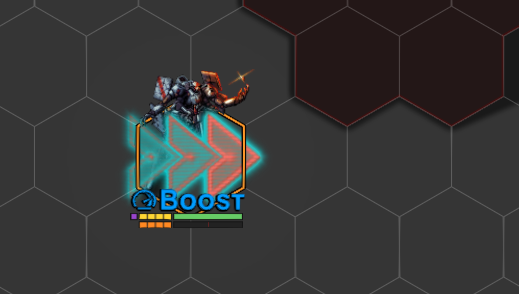
When an action runs, a matching animation plays through Sequencer:
- a slash on a skirmish
- a downdraft on boost
- an impact on ram
- smoke on hide, and so on
Toggle the lot with Enable Action FX. They need both Sequencer and Lancer Weapon FX installed. Without either, they're skipped.
Damage feedback
Applying damage plays an impact sprite and sound on the target per damage type: one impact per 3 damage inflicted, staggered, each at a random spot on the token.
Armor-absorbed damage plays a clank instead, and overshield hits have their own impact.
JB2A free-pack fallback
Many of the action animations use JB2A. If you only have the free pack, the module substitutes free-pack equivalents (tinting them to match) so the effects still play instead of erroring on a missing asset.
debugForceJb2aFree forces that path even when the Patreon pack is installed.
Sounds
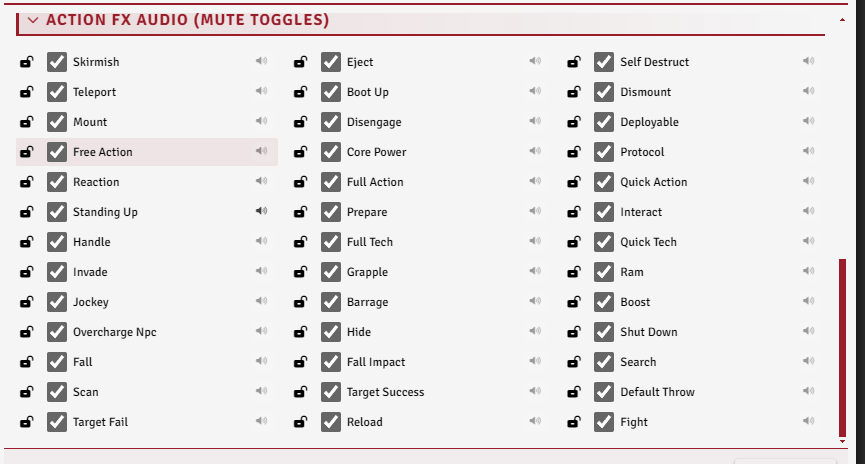
Most things at the table make a sound: HUD clicks, token hover / select / target, damage by type, stat changes, action FX, and wreck explosions.
Each family has a master volume, and every event inside it can be muted on its own, click a toggle to preview it.
Notable options
| Option | What it does |
|---|---|
| Roll Result FX | Miss and crit overlays on attacks, success and fail pulses on H.A.S.E. |
| UI Sounds | Volume of TAH hover/click sounds. |
| Token Feedback | Volume of token feedback sounds (hover, select, target, drag, move, elevation key). |
| Damage / Stat Feedback | Volume of damage, HP/heat/burn/overshield/infection sounds. |
| Item Name on Action Badges | The action badge banner shows the item name instead of the action type. |
| Weapon FX Above Tokens | Since Sequencer 4, some Lancer Weapon FX render behind tokens. This lifts them back above token art. |