Setup & Tools
Setup and housekeeping: optional content, actor and data cleanup, news, guided tours, and scene helpers.
Settings
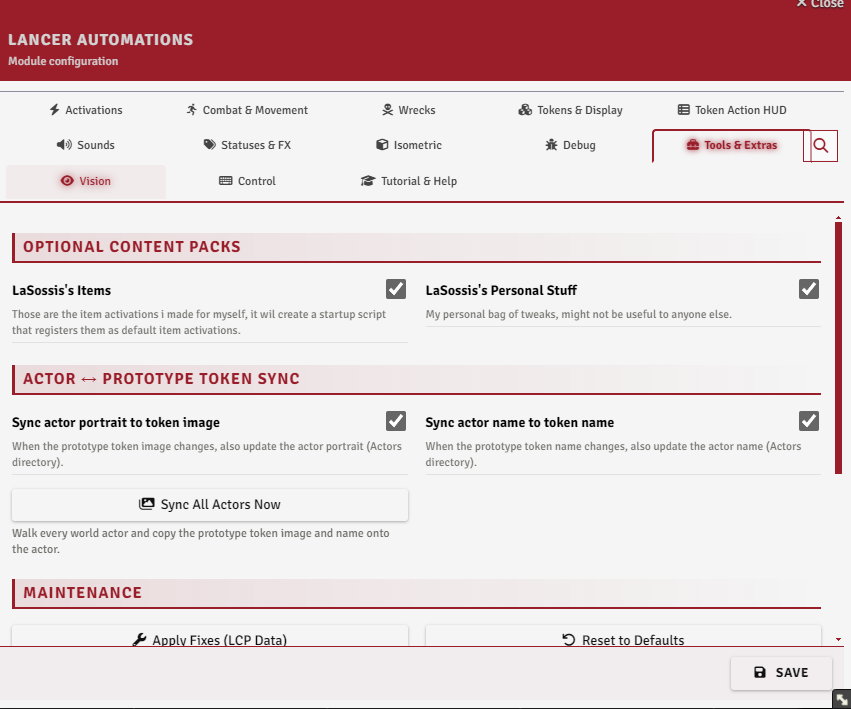
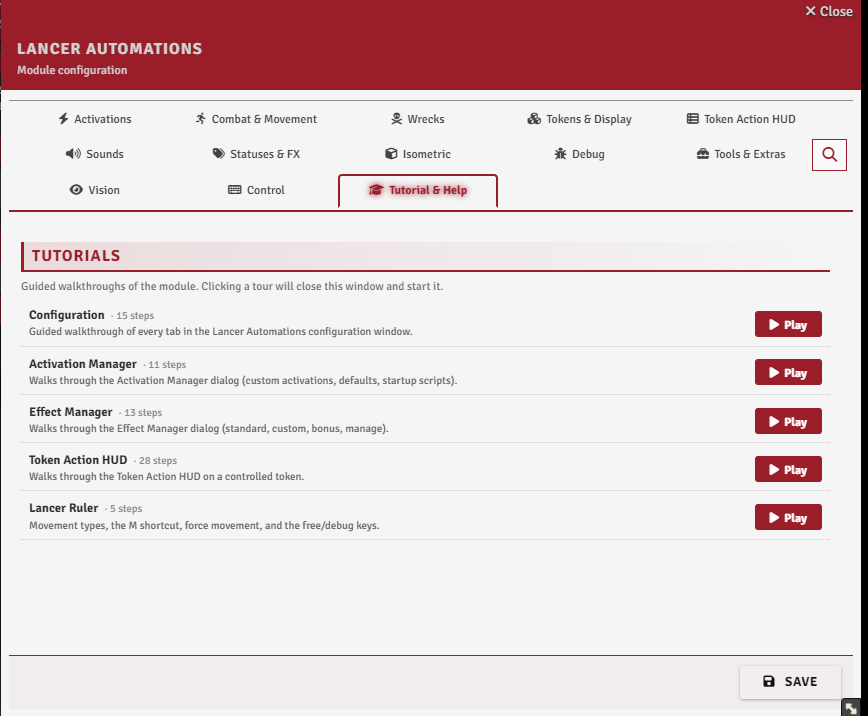
The Tools & Extras tab, with the tours under Tutorial & Help.
Optional content packs
LaSossis's Items (enableLaSossisItems) loads my prebuilt item activations. It's greyed out unless LaSossis Additional statuses and effects (additionalStatuses, Statuses & FX tab) is on, since the activations use those statuses. Some of them also want the personal NPC Deployables LCP: the Get the Deployables LCP button right below downloads it, then import it through the Lancer Compendium Manager.
LaSossis's Personal Stuff (enablePersonalStuff) loads my personal tweaks, probably not useful to anyone else. Both load as startup scripts, so toggling either needs a reload.
Actor ↔ token sync
syncActorImgToToken and syncActorNameToToken copy a prototype token's image and name onto the actor whenever they change. Video token images are skipped there, since an actor portrait only takes stills.
Sync All Actors Now does the same pass over every world actor at once, behind a confirmation. It ignores both toggles, writes image and name together, and does not skip videos.
Maintenance & data repair
Apply Fixes (LCP Data) rebuilds compendium and actor item data with the module's patches: ammo metadata, merged multi-profile weapon text, and blank action names.
Reset to Defaults clears all module settings and automations. Export to JSON and Import from JSON sit next to it in the same Maintenance section, and are covered in the Automation Engine guide.
News & releases
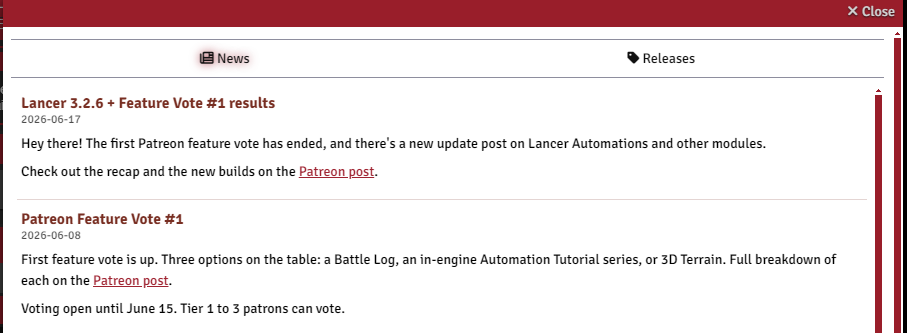
On load, the GM gets a popup for new module news and pending updates. The News & Releases button reopens it any time, with the news log and the GitHub release notes.
Guided tours
Guided in-app tours explain the main systems. A welcome dialog offers them on first install, along with a Setup Wizard for the main settings.
Scene dimensions
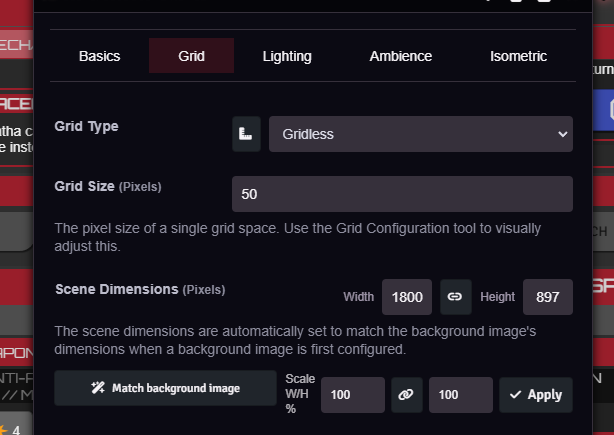
In a scene's configuration, Match background image sets the scene's width and height to the background's pixel size, and a Scale W/H % row scales the current dimensions by a percentage, linked or separate.